



























































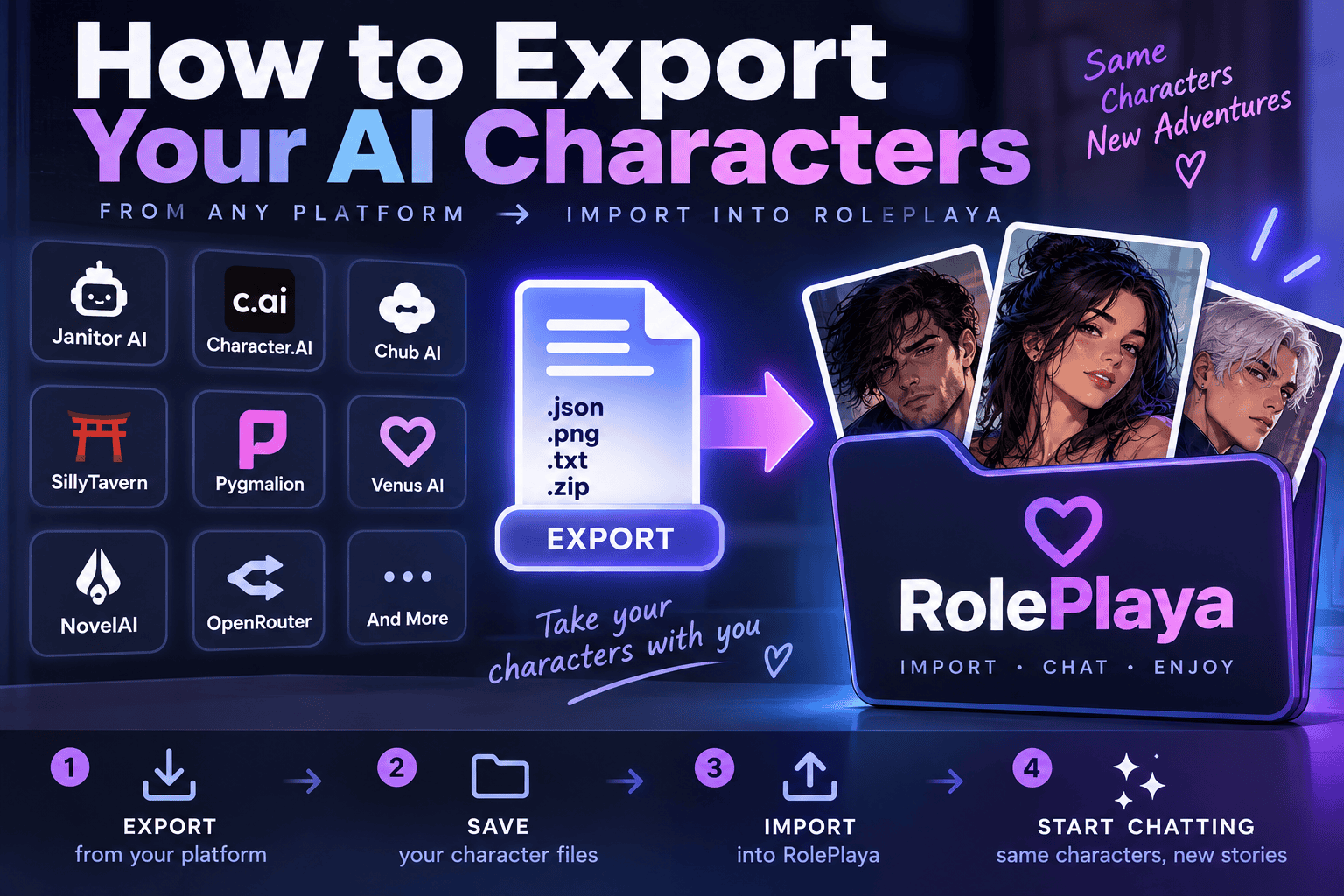
How to Export Your AI Characters and Take Them With You
Which platforms let you take your characters with you, how to get the file out, and exactly which fields survive the move.
Characters you wrote are yours. Getting them off a platform is easier than most people think on some sites and impossible on others, and the difference is worth knowing before you need it rather than after.
What a character card actually is
Almost every roleplay platform speaks the same underlying format. A character card is a block of JSON holding the name, description, personality, scenario, opening message and example dialogue. In the PNG version, that JSON is base64 encoded and hidden inside the image file itself, in a metadata chunk keyed chara for V2 cards or ccv3 for V3.
That is why a character card looks like an ordinary avatar image. Drag it into any platform that reads the format and the character rebuilds itself from the picture. The JSON version carries the same data as a plain file with no image attached.
Which platforms let you export
| Platform | Export route | Reality |
|---|---|---|
| Chub | Built in | Character pages carry a download control that gives you JSON or a PNG card directly. The easiest of the lot. |
| Janitor AI | Community tools | No official export button. Browser extensions and userscripts pull the card out in V2 format. They only reach definitions you can already see, so a character with private definitions may not come across, and the terms restrict automated and bulk access. |
| Character.AI | Community tools | No native export. Extensions convert a bot into a Tavern JSON or PNG card. Expect the personality to need rewriting, because the platform stores it differently from the card standard. |
| PolyBuzz | None | No export path for characters. Anything there has to be copied out by hand while you can still see it. |
Whatever produces the file, the file is portable. Any platform that reads V2 or V3 cards will take it, which includes RolePlaya, SillyTavern, Chub and most of the smaller frontends.
Do it before you need it
The pattern is consistent across this industry. Platforms do not usually announce that your work is about to become unreachable. They change a policy, lose a payment processor, get acquired, or quietly delete content that fell foul of a filter nobody explained. We keep a running record of platforms that have gone dark, and the people who lost the least were the ones holding files on their own machine.
Exporting costs you an evening. Not exporting has cost people years of writing.
Importing into RolePlaya
On the character creator there is an Import Character section with two controls.
- Import Card takes the PNG. It reads the embedded metadata, fills the form, and uses the image itself as the avatar in the same step.
- Import JSON takes a plain .json file. Same field mapping, but you supply the artwork separately or generate it.
Nothing is saved until you press save, so the import is a starting point you can edit rather than something that commits immediately.
What carries across
| In the card | Where it lands |
|---|---|
| name | Title |
| creator_notes, or description on older cards | Intro, trimmed to 500 characters |
| greeting or first_mes | Opening greeting |
| description, or scenario and personality as a fallback | Background |
| The PNG image | Avatar |
What you will need to re-add
- Example dialogue. Add it in the dialogue examples fields, which shapes voice more reliably than burying samples in the description.
- Extra greetings. Only the first opening message maps across. Additional ones go in the greeting slides.
- Lorebook entries. These belong in Worlds rather than on the character itself.
- Tags. Chosen from the tag list rather than imported, since they drive discovery on the site.
Expect to spend a few minutes per character tidying up. A card written for one platform carries assumptions about how that platform prompts, and the tidying is usually where the character gets better rather than merely transplanted.
Bring your cast with you
RolePlaya reads V2 and V3 cards as both PNG and JSON, on the free tier as well as paid. There is no import limit, no queue, and no API key to configure first. If you have a folder of cards sitting on your desktop from a platform that no longer exists, they will still load.
One thing worth saying plainly
Export your own characters. Backing up work you wrote is reasonable and every platform in this space knows it. Bulk downloading other people credits work is a different thing, and if you do re-share someone else card, credit the creator who made it.
Common questions
What is a character card in PNG form?
It is an ordinary image with the character data hidden inside it. The JSON is base64 encoded into a metadata chunk keyed chara for V2 cards or ccv3 for V3, so the file works as both an avatar and a complete character definition.
Can I export characters from Character.AI?
Not through the site itself. Browser extensions can convert a bot into a Tavern format JSON or PNG card. The personality usually needs rewriting afterwards, because Character.AI stores character data differently from the card standard.
Does Janitor AI have an export button?
No. Community extensions and userscripts do the job in V2 format, but they can only reach definitions your account can already see, and characters with private definitions may not come across at all.
Will my lorebook transfer?
Not automatically. Lorebook content maps onto Worlds rather than onto the character record, so it needs adding separately after the character itself is in.
Do I need a paid account to import?
No. Card and JSON import work on the free tier, with no cap on how many characters you bring across.
Janitor AI, Character.AI, PolyBuzz, Chub, SillyTavern and all other names used on this page are trademarks of their respective owners. RolePlaya is not affiliated with, endorsed by, sponsored by or connected to any of them. Export routes on third party platforms are